
 ES
 EN
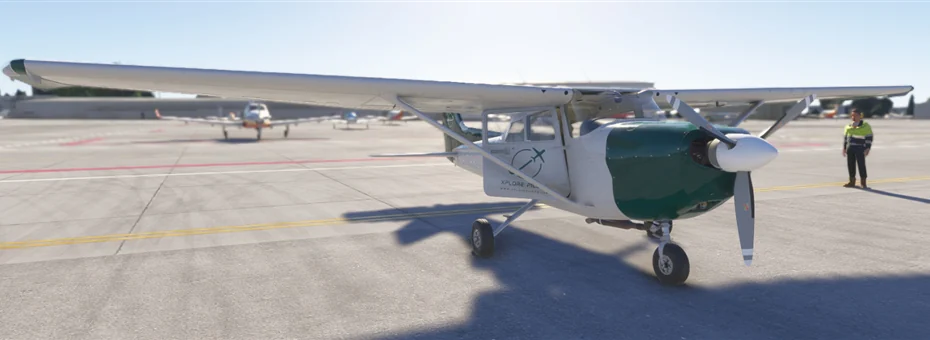
First published in December 2024, the EC-XPE livery was designed for the Cessna 172 included with X-Plane. Here are the download, installation steps and a link to the Cessna 172 aircraft profile.
Compatibility and installation
Before downloading, make sure you are selecting the stock Cessna 172. Aircraft from other developers may use different textures or folder structures.
- Download and extract the ZIP archive.
- Put the livery folder inside
liveriesin the stock Cessna 172 aircraft folder. - Open the X-Plane flight configuration screen, select the aircraft and choose the EC-XPE livery.
If the livery does not appear, check that its folder is directly inside liveries and that extracting the archive did not create an extra folder.
About the Cessna 172
The Skyhawk is a high-wing single-engine aircraft with up to four seats. Widely used in flight schools and general aviation, it is a common choice for getting started in X-Plane. The livery applies the XPlorePilots colours to the stock aircraft and can be selected when setting up a flight.
Ideas for your first flight
A traffic pattern is a simple first flight. Choose a familiar airfield, practise takeoff, downwind and approach, then repeat with different simulator conditions. If you use Microsoft Flight Simulator 2024, see the C172 profile for the package for your aircraft.
To expand your fleet, you can also try the Baron B58 livery for X-Plane.